Repurposing Retro Tech: A Cyberpunk Christmas Glitch Art Gallery
From Obsolete Gadgets to Glitch Art Gallery: Repurposing Retro Tech for a Cyberpunk Christmas
Christmas is often associated with traditional decorations and cozy aesthetics. But what if you could inject a dose of cyberpunk grit and digital artistry into your holiday season? By repurposing obsolete gadgets and embracing the beauty of digital glitches, you can create a unique and unforgettable Cyberpunk Christmas Glitch Art Gallery right in your own home. This guide will walk you through the process of transforming old technology into captivating art pieces that blend nostalgia with futuristic aesthetics.
The beauty of this project lies in its accessibility. You don't need to be a tech expert or a seasoned artist to participate. All you need is a willingness to experiment, a collection of discarded gadgets, and a dash of cyberpunk inspiration. So, gather your old electronics, dust off your creative spirit, and let's embark on a journey to create a Christmas unlike any other!

Gathering Your Retro Tech Arsenal
The first step in creating your Cyberpunk Christmas Glitch Art Gallery is to assemble your collection of retro tech. This is where you get to raid your attic, basement, and local thrift stores for forgotten treasures. Think beyond just computers and phones – consider old gaming consoles, VCRs, Walkmans, and even electronic toys. The more diverse your collection, the more interesting your art pieces will be.
Here are some ideas for sourcing your retro tech:
- Your Own Home: Start by exploring your own storage spaces. You might be surprised at what you find lurking in forgotten corners.
- Friends and Family: Ask your friends and family if they have any old electronics they're willing to donate.
- Thrift Stores and Flea Markets: These are goldmines for finding affordable retro tech.
- Online Marketplaces: Websites like eBay and Craigslist can be great sources for specific gadgets.
Before you start dismantling anything, take some time to appreciate the aesthetic of each gadget. Consider its shape, color, and the materials it's made of. These elements will all contribute to the final art piece. Also, remember to prioritize safety. Disconnect all power sources and handle electronic components with care.
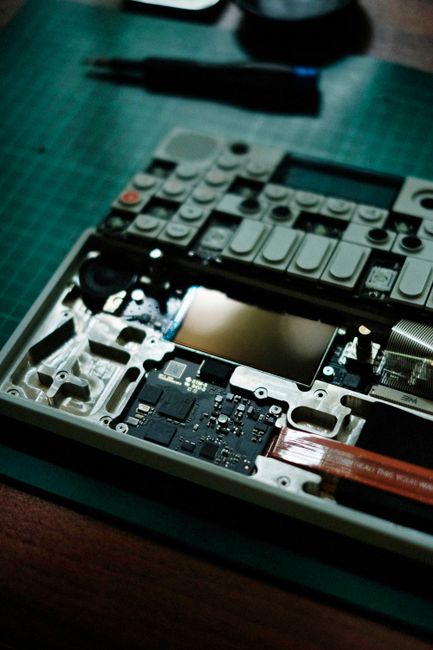
Embracing the Glitch: Techniques and Tools
Now that you have your retro tech collection, it's time to start exploring the art of the glitch. Glitch art is all about embracing imperfections and unexpected errors in digital systems. It's about finding beauty in the breakdown and transforming flaws into artistic expression. There are several techniques you can use to create glitch art with your retro tech:
- Circuit Bending: This involves intentionally short-circuiting electronic devices to create unexpected sounds and visual effects. This should only be attempted by those with electrical safety knowledge.
- Data Moshing: This technique involves manipulating the data of digital images and videos to create distorted and surreal effects. Software like Handbrake and Adobe Premiere Pro can be used for this purpose.
- Physical Manipulation: This involves physically altering the components of your retro tech to create visual glitches. This could include scratching CDs, bending circuit boards, or applying heat to electronic components (with caution).
Here's a table summarizing some common glitch art techniques:
| Technique | Description | Tools/Materials |
| Circuit Bending | Intentionally short-circuiting devices. | Screwdrivers, wires, soldering iron (optional) |
| Data Moshing | Manipulating image/video data. | Handbrake, Adobe Premiere Pro |
| Physical Manipulation | Physically altering components. | Screwdrivers, heat gun (optional), sandpaper |
Experiment with different techniques and see what works best for you. Don't be afraid to make mistakes – that's part of the fun! The goal is to create visually interesting and unique pieces of art that reflect the spirit of cyberpunk.

Building Your Cyberpunk Christmas Creations
With your glitch art techniques in hand, it's time to start building your Cyberpunk Christmas creations. Here are some ideas to get you started:
- Glitch Art Ornaments: Disassemble old CDs and DVDs and use the reflective surfaces to create shimmering ornaments. Apply glitch art techniques to the surface for added effect.
- Circuit Board Wreaths: Create a festive wreath using old circuit boards, wires, and LED lights.
- Retro Tech Sculptures: Combine different pieces of retro tech to create futuristic sculptures. Think about creating a cyberpunk Santa or a robotic reindeer.
- Data Moshed Christmas Cards: Create unique Christmas cards by data moshing your family photos.
Consider incorporating LED lights into your creations to enhance the cyberpunk aesthetic. Adafruit is a great resource for finding affordable LEDs and other electronic components.
Remember to think about the overall theme of your Cyberpunk Christmas Glitch Art Gallery. Do you want it to be dark and gritty, or bright and colorful? Choose a color palette and stick to it to create a cohesive look.

Setting Up Your Glitch Art Gallery
Once you've created your Cyberpunk Christmas masterpieces, it's time to set up your Glitch Art Gallery. Think about how you can transform your living space into a futuristic wonderland. Use dark lighting, neon accents, and reflective surfaces to create a cyberpunk atmosphere.
Here are some tips for setting up your gallery:
- Lighting: Use black lights, LED strip lights, and strobe lights to create a dynamic and immersive environment.
- Backdrops: Create backdrops using dark fabrics, metallic sheets, and projected images of futuristic cityscapes.
- Placement: Arrange your art pieces strategically to create a visually appealing and engaging display.
- Sound: Add a soundtrack of electronic music and glitchy sound effects to enhance the cyberpunk atmosphere.
Consider using a projector to display data moshed images and videos on your walls. This will add a dynamic and immersive element to your gallery.
Don't be afraid to experiment with different layouts and arrangements. The goal is to create a space that is both visually stunning and thought-provoking.

Sharing Your Cyberpunk Christmas with the World
After all your hard work, it's time to share your Cyberpunk Christmas Glitch Art Gallery with the world! Invite your friends and family over to experience your unique holiday creation. Share photos and videos of your gallery on social media using hashtags like #CyberpunkChristmas, #GlitchArt, and #RetroTechArt.
You can also consider hosting a virtual tour of your gallery using video conferencing tools like Zoom or Google Meet. This will allow you to share your creation with people all over the world.
By repurposing retro tech and embracing the art of the glitch, you can create a truly unique and unforgettable Christmas experience. So, get creative, have fun, and let your imagination run wild! Merry Cyberpunk Christmas!

So, deck the halls with diodes and have yourself a very cyberpunk Christmas!
-YourDad


Comments
Post a Comment