Temu Shower Curtain Studio: $5 Photo Backdrop for DIY Product Photography
Unleash Your Inner Photographer on a Budget!
Want to take stunning product photos without breaking the bank? You're in the right place! As a small business owner or DIY enthusiast, you know how important high-quality images are for showcasing your creations. But professional photography can be expensive. What if I told you that you could create a fantastic photo backdrop for around $5? Yes, you read that right! The secret? A humble shower curtain from Temu. Let's dive into this budget-friendly photography hack!
Why a Shower Curtain? The Unexpected Photography Hack
You might be thinking, "A shower curtain? Really?" Trust me on this one! Many shower curtains, especially those with a solid color and matte finish, make excellent photo backdrops. They're lightweight, easy to clean (essential for messy product shoots!), and incredibly affordable, especially if you snag one from Temu. The key is to choose the right type. Look for:
- Solid Color: White, light gray, or pastel colors work best for versatility.
- Matte Finish: Avoid shiny or glossy curtains, as they can create unwanted reflections.
- Wrinkle-Resistant Material: While wrinkles can be edited out, starting with a smooth surface saves time.
The beauty of this hack lies in its simplicity and cost-effectiveness. You don't need fancy equipment or a dedicated studio space to achieve professional-looking results. A shower curtain, some basic lighting, and a bit of creativity are all you need!

Temu: Your Source for Budget-Friendly Backdrops
Why Temu? Well, let's be honest, they're known for their incredibly low prices! You can often find basic shower curtains for under $5, making this the ultimate budget photography solution. Of course, you can also find similar curtains at other retailers like Amazon or your local dollar store, but Temu often offers the best deals.
Pro Tip: Before ordering, carefully read the product description and reviews to ensure the curtain meets the criteria mentioned above (solid color, matte finish, wrinkle-resistant). Pay attention to the size as well, making sure it's large enough to accommodate your products.

Setting Up Your $5 Photo Studio
Okay, you've got your Temu shower curtain. Now what? Setting up your DIY photo studio is surprisingly easy. Here's a step-by-step guide:
- Find a Suitable Space: Choose a well-lit area with enough room to set up your backdrop and position your camera. A corner of a room or a garage can work well.
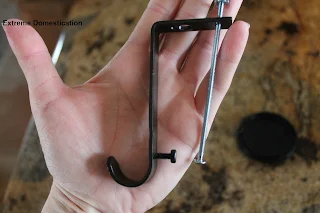
- Hang the Shower Curtain: You can use a photography backdrop stand if you have one. Alternatively, you can use clamps and a clothesline, or even tape the curtain to a wall. The goal is to create a smooth, wrinkle-free background.
- Position Your Product: Place your product in front of the shower curtain. Experiment with different angles and distances to find the most flattering composition.
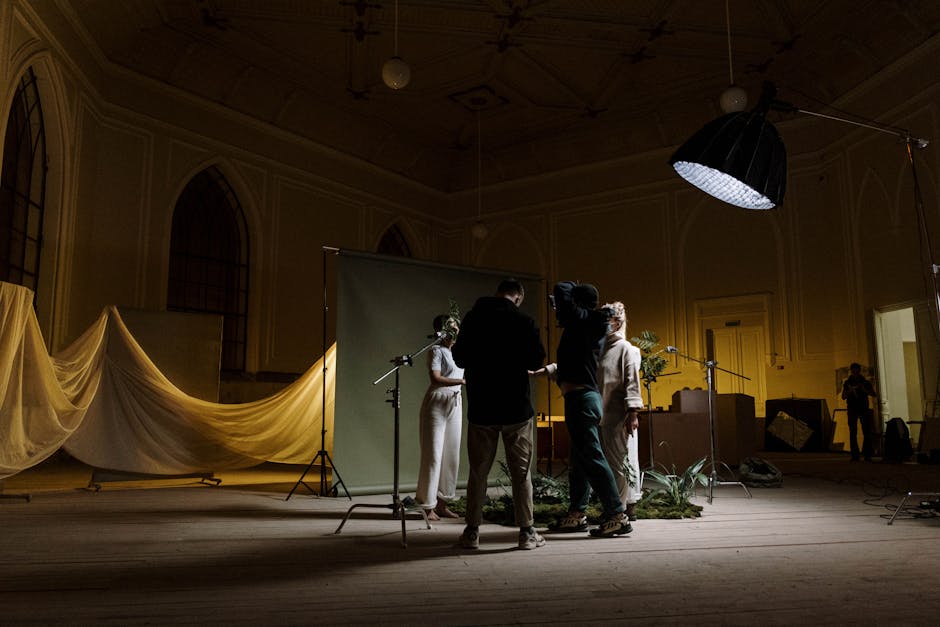
- Lighting is Key: Use natural light if possible. Position your setup near a window, but avoid direct sunlight, which can create harsh shadows. If using artificial light, use two lamps positioned on either side of your product for even illumination.
Remember, practice makes perfect! Don't be afraid to experiment with different setups and lighting techniques until you achieve the desired result.
Lighting Tips and Tricks for Stunning Photos
Good lighting is crucial for professional-looking product photos. Here are some tips to help you master the art of lighting:
- Diffuse the Light: Use a diffuser (a white sheet or translucent plastic) to soften harsh light and reduce shadows.
- Bounce the Light: Use a reflector (a piece of white foam board or aluminum foil) to bounce light back onto your product and fill in shadows.
- Avoid Mixed Lighting: Stick to either natural light or artificial light. Mixing different light sources can create unwanted color casts.
- Experiment with Angles: Try different lighting angles to see how they affect the shadows and highlights on your product.
Investing in a simple lighting kit can also significantly improve your photos. Look for kits with adjustable brightness and color temperature for maximum flexibility.

Camera Settings and Composition for Product Photography
While a fancy camera isn't essential, understanding some basic camera settings can make a big difference. If you're using a smartphone, explore the manual mode or download a camera app that gives you more control over settings like:
- Aperture: Controls the depth of field (how much of the image is in focus). A smaller aperture (higher f-number) is generally better for product photography to ensure everything is sharp.
- ISO: Controls the sensitivity to light. Keep the ISO as low as possible to avoid noise (graininess) in your images.
- White Balance: Adjusts the color temperature to ensure accurate colors. Use the "Auto" setting or experiment with different presets to find the best match for your lighting.
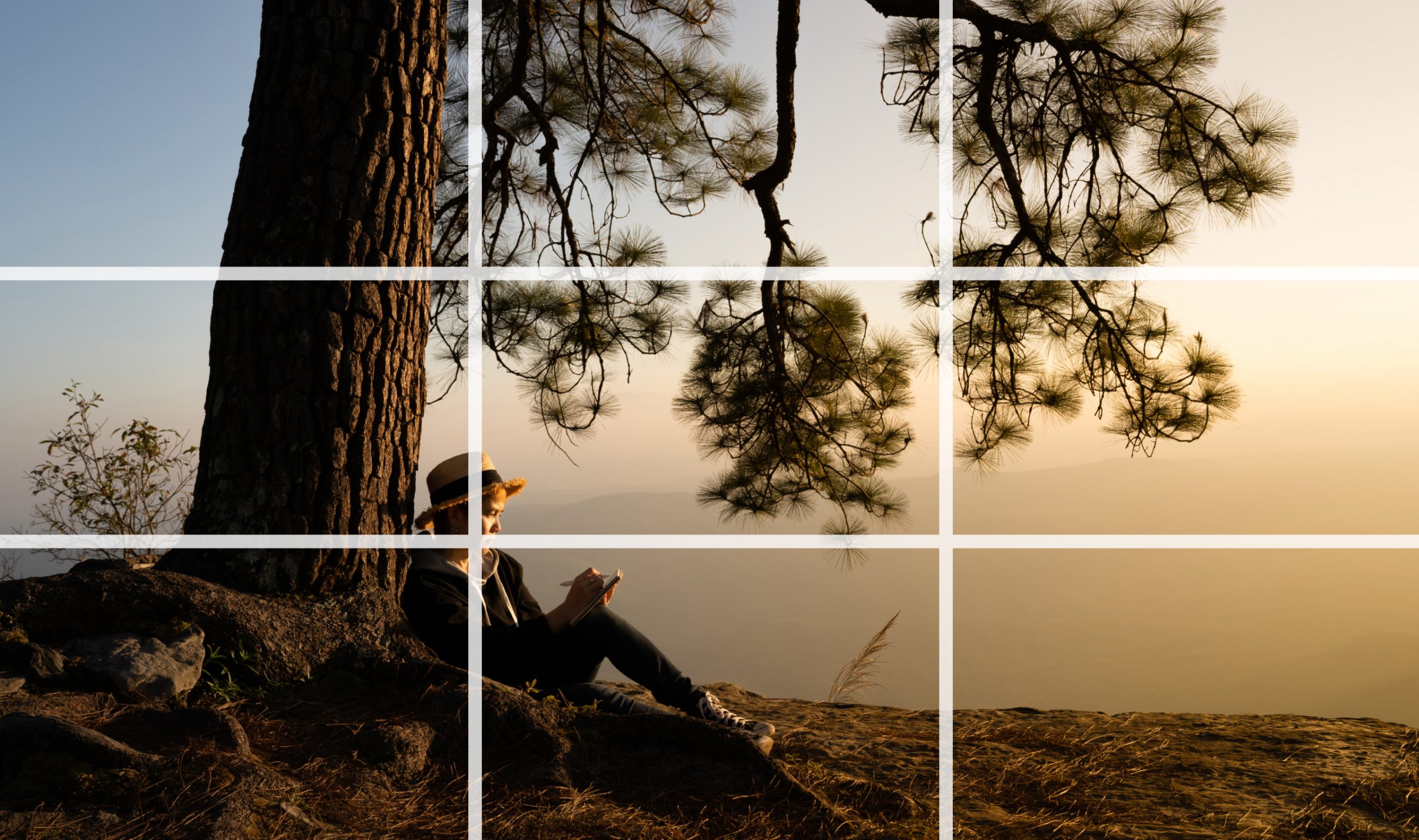
Composition is also key. Use the rule of thirds to create visually appealing images. Place your product off-center, along one of the imaginary lines that divide the frame into thirds. Experiment with different angles and perspectives to find the most interesting composition.
Editing Your Photos for a Professional Finish
Even with a great setup and good lighting, some post-processing is usually necessary to achieve a professional finish. There are many free and paid photo editing apps and software available. Some popular options include:
- Adobe Lightroom Mobile: A powerful mobile app with a wide range of editing tools.
- Snapseed: A free and user-friendly mobile app from Google.
- GIMP: A free and open-source desktop photo editor.
- Canva: A versatile tool that can be used for both photo editing and graphic design.
When editing your photos, focus on:
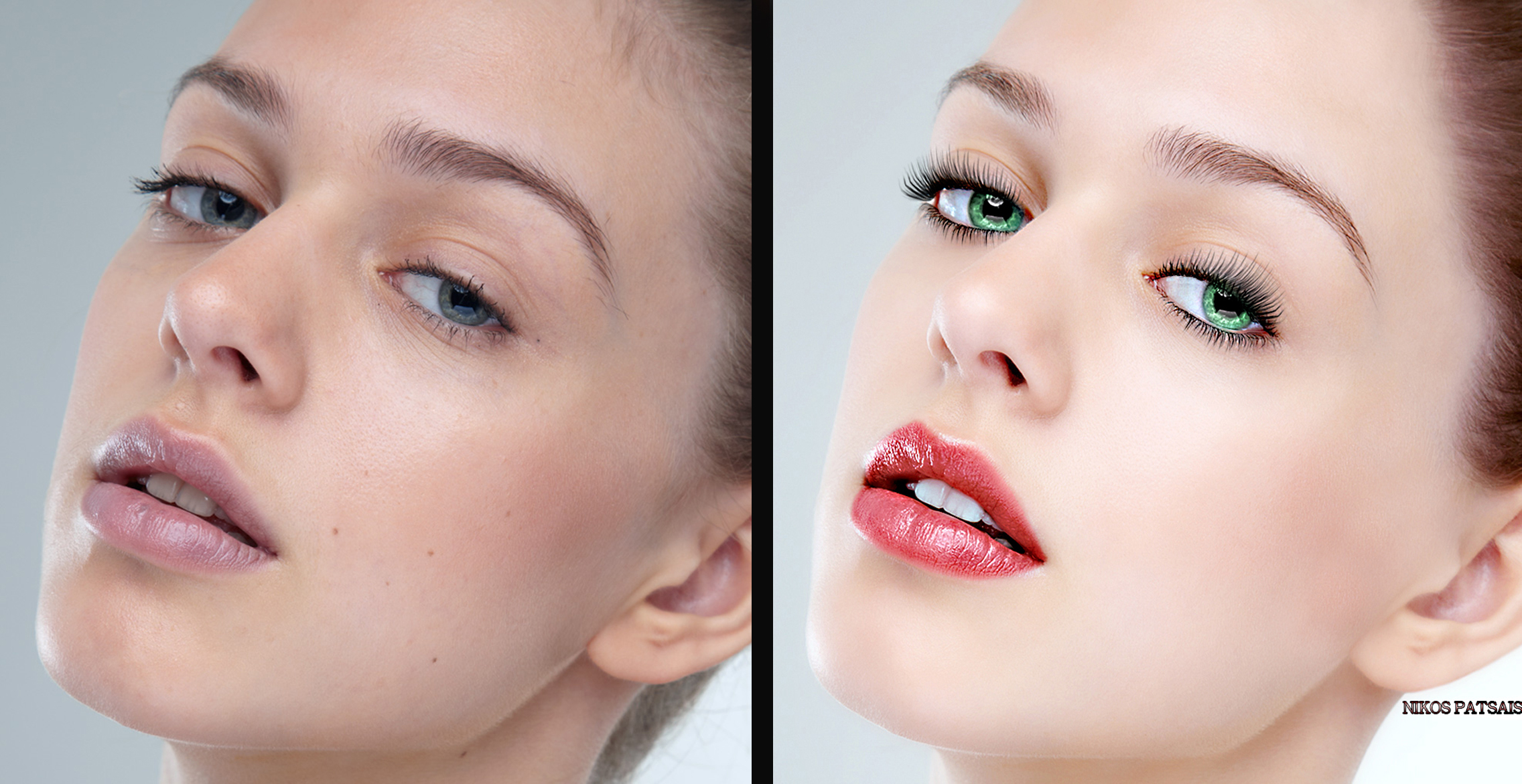
- Adjusting the brightness and contrast.
- Correcting the color balance.
- Removing any blemishes or distractions.
- Sharpening the image.
Avoid over-editing your photos. The goal is to enhance the natural beauty of your product, not to create a completely artificial image.
Beyond the Basics: Creative Uses for Your Shower Curtain Studio
Once you've mastered the basics, you can start experimenting with more creative uses for your shower curtain studio. Here are some ideas:
- Add Props: Incorporate props that complement your product and add visual interest.
- Use Different Background Colors: Buy shower curtains in different colors to create a variety of looks.
- Create a Gradient Background: Use two lights with different colored gels to create a gradient effect.
- Add Texture: Drape fabric or paper over the shower curtain to add texture to the background.
The possibilities are endless! Don't be afraid to experiment and have fun. With a little creativity, you can create stunning product photos that will help you sell more and grow your business.

Summary of the Best Tools
| Tool | Description | Cost |
|---|---|---|
| Temu Shower Curtain | Provides a clean, solid backdrop for product photography. Choose matte finish and light color. | ~$5 |
| Photography Backdrop Stand (Optional) | For hanging the shower curtain smoothly. Alternatives: Clamps, clothesline, tape. | ~$20-50 |
| Reflector | Bounces light back onto the product to fill in shadows. Can use white foam board. | ~$10-20 |
| Diffuser | Softens harsh light. Use a white sheet or translucent plastic. | ~$5-15 |
| Adobe Lightroom Mobile | Powerful mobile app for photo editing. | Free (with premium options) |
Now go forth and create some stunning product photos that will wow your customers!
-YourDad


Comments
Post a Comment