Temu Toothbrush Stop-Motion Studio: $3 Budget Rig for Pro Photos
Unlock Pro-Level Product Photography on a $3 Budget
Want to create stunning product photos and videos without breaking the bank? You've come to the right place! In this guide, I'll show you how to build a surprisingly effective stop-motion studio using a simple, inexpensive toothbrush holder from Temu. Yes, you read that right – for just around $3, you can dramatically improve your product photography game and create eye-catching visuals for your online store, social media, or marketing campaigns. Get ready to unleash your inner creative genius!
We'll explore the step-by-step process of transforming this everyday item into a versatile tool for capturing smooth, professional-looking stop-motion sequences. Whether you're selling handmade jewelry, artisanal coffee beans, or the latest tech gadgets, this budget-friendly rig will help you showcase your products in the best possible light.
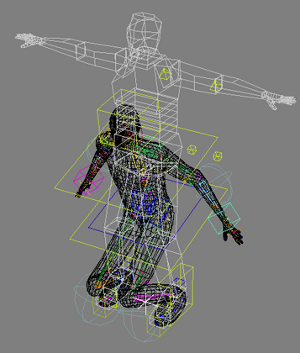
Why Stop-Motion for Product Photography?
In a world saturated with static images, stop-motion animation offers a refreshing and engaging way to capture attention. Unlike traditional photos, stop-motion brings your products to life, showcasing their features, textures, and unique qualities in a dynamic and memorable way. It's perfect for:
- Social Media: Stop-motion videos are highly shareable and can significantly boost engagement on platforms like Instagram, TikTok, and Facebook.
- E-commerce: Dynamic visuals can increase conversion rates by providing a more immersive and informative product experience.
- Brand Storytelling: Use stop-motion to tell the story behind your brand, highlight your craftsmanship, or showcase the benefits of your products in a creative and compelling way.
Plus, with a little ingenuity, you don't need expensive equipment or specialized software to create impressive stop-motion animations. This Temu toothbrush holder hack proves that amazing results are achievable on a shoestring budget!

The Star of the Show: The Temu Toothbrush Holder
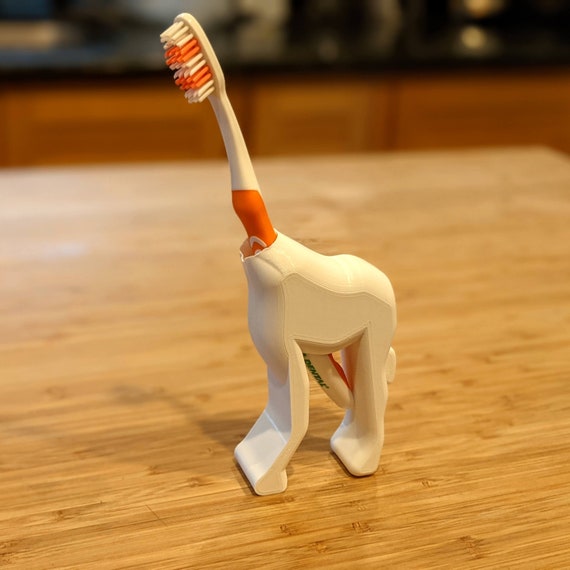
Our secret weapon is a seemingly ordinary toothbrush holder, readily available on Temu and similar online marketplaces like AliExpress or SHEIN. Look for a holder with a simple, stable design and a relatively flat surface. The key is to find one that can easily be modified and adapted to hold your products securely.
I used a simple plastic toothbrush holder that I found on Temu for $3.00. The specific model doesn't matter too much, as long as it provides a stable base and a way to attach or secure your product. You might even find similar items at your local dollar store!
Building Your $3 Stop-Motion Studio: Step-by-Step
Here's how to transform your humble toothbrush holder into a professional-grade stop-motion rig:
- Gather Your Supplies: In addition to the toothbrush holder, you'll need some basic tools and materials, such as:
- Scissors or a craft knife
- Double-sided tape or adhesive putty
- A smartphone or camera with stop-motion capabilities (more on this later)
- Good lighting (natural or artificial)
- Your product!
- Modify the Toothbrush Holder: Depending on the design of your holder, you may need to make some minor modifications. For example, you might need to cut away sections to create a better platform for your product or add some weight to the base for increased stability.
- Secure Your Product: Use double-sided tape or adhesive putty to securely attach your product to the toothbrush holder. Make sure it's firmly in place so it doesn't shift during the animation process.
- Set Up Your Lighting: Good lighting is crucial for creating professional-looking stop-motion animations. Use natural light if possible, or invest in a simple desk lamp or LED panel. Experiment with different angles and intensities to find the best look for your product.
- Start Animating! Now comes the fun part! Use your smartphone or camera to capture a series of images, making small adjustments to your product's position between each shot. There are several stop-motion apps available for both iOS and Android that can help you with this process.

Essential Stop-Motion Apps and Software
While you can technically create stop-motion animations using just your phone's camera, specialized apps and software can significantly streamline the process and enhance your results. Here are a few popular options:
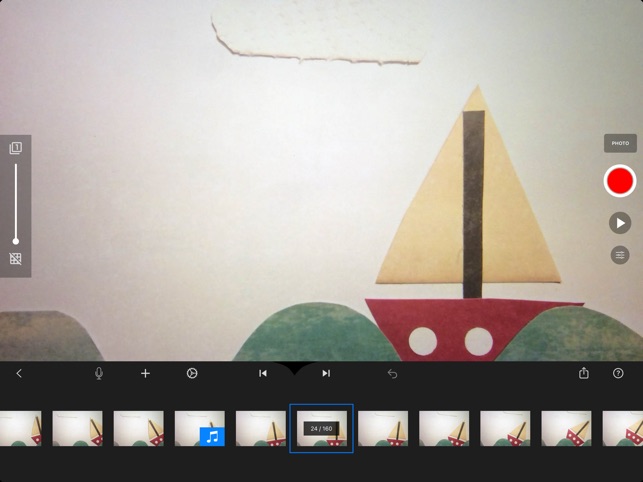
- Stop Motion Studio (iOS & Android): A user-friendly app with a wide range of features, including onion skinning, audio recording, and frame-by-frame editing.
- iMovie (iOS): A free video editing app that includes basic stop-motion capabilities.
- Dragonframe (macOS & Windows): A professional-grade stop-motion animation software used by filmmakers and studios around the world.
Experiment with different apps and software to find the one that best suits your needs and skill level. Many offer free trials or basic versions, so you can test them out before committing to a purchase.
Lighting is Key: Achieving Professional-Looking Results
Even with the best stop-motion rig and software, poor lighting can ruin your animation. Here are some tips for achieving professional-looking results:
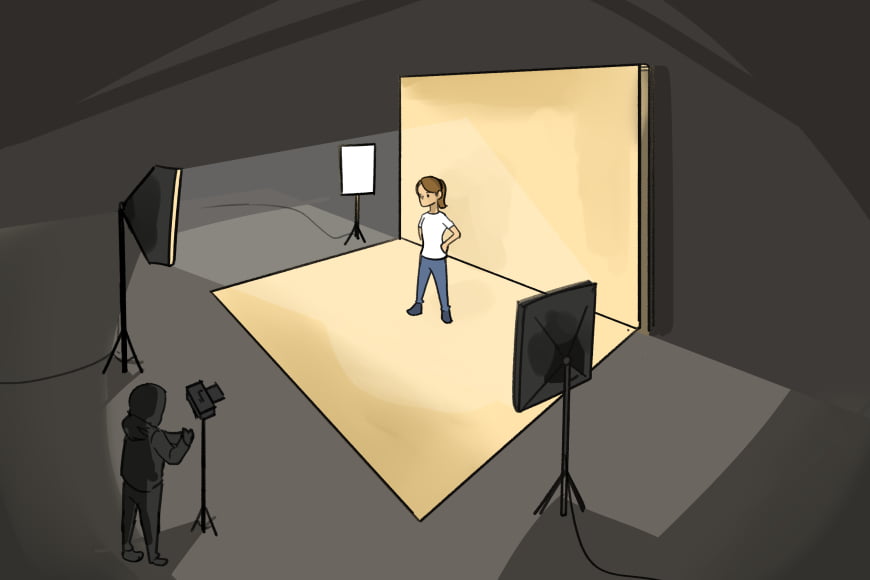
- Use Diffused Light: Harsh, direct light can create unwanted shadows and highlights. Diffuse your light source by using a softbox, tracing paper, or even a white sheet.
- Avoid Color Casts: Make sure your light source is color-balanced to avoid unwanted color casts in your images. LED lights with adjustable color temperature are a great option.
- Maintain Consistent Lighting: Fluctuations in lighting can be distracting in stop-motion animations. Try to shoot in a room with consistent natural light, or use artificial lights and carefully control their settings.
Experiment with different lighting setups to find the best look for your product. A simple three-point lighting setup (key light, fill light, and backlight) can often produce excellent results.
Troubleshooting Tips and Tricks
Even with careful planning and execution, you may encounter some challenges along the way. Here are some common troubleshooting tips:
| Problem | Solution |
|---|---|
| Flickering | Ensure consistent lighting and camera settings. Lock your camera's exposure and white balance. |
| Unstable Product | Use stronger adhesive or add weight to the base of the toothbrush holder. |
| Jerky Movement | Make smaller adjustments between frames and increase the frame rate of your animation. |
Don't be afraid to experiment and try different solutions until you find what works best for you. Stop-motion animation is a process of trial and error, so embrace the learning curve and have fun!
Level Up: Beyond the Toothbrush Holder
Once you've mastered the basics of stop-motion animation with your Temu toothbrush holder, you can explore more advanced techniques and equipment. Consider investing in a dedicated stop-motion animation stand, a motorized turntable, or a high-resolution camera. But remember, the most important ingredient is creativity! With a little imagination and resourcefulness, you can create amazing stop-motion animations on any budget.
Now go forth and create amazing visuals to capture your audience's attention!

Now go forth and create some dazzling product photos that will make your sales soar!
-YourDad


Comments
Post a Comment